
Events WebSocket
Events WebSocket
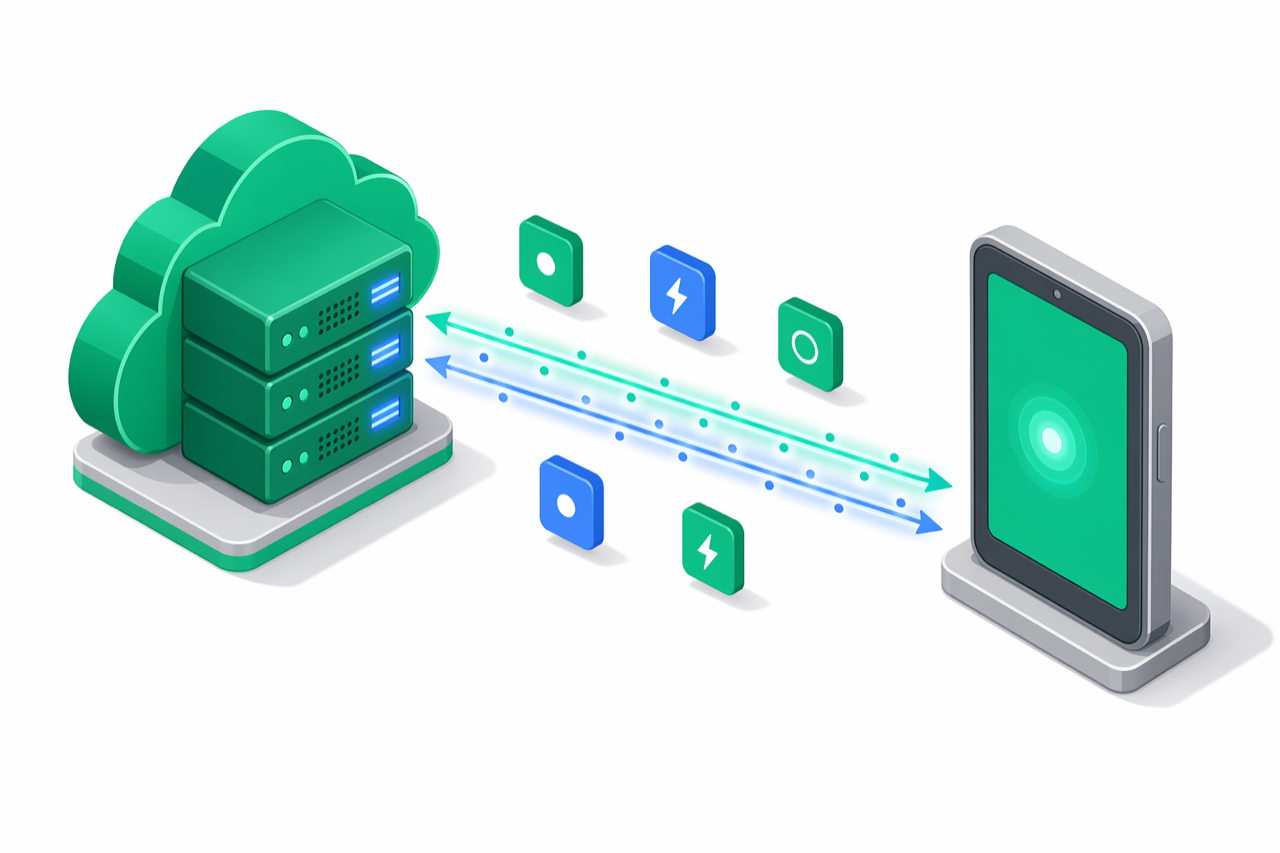
The e-bon backend exposes a single real-time channel that pushes device.*, receipt.*, command.* and app.* events to subscribers as they happen.
wss://api.e-bon.ro/ws
The URL carries no query parameters. Identity and credentials travel in a hello frame — the first message your client sends after the socket opens — and the server confirms the subscription with a welcome frame. This page is the wire-protocol reference for integrators connecting from any language (Python, Go, PHP, raw wscat, browser WebSocket, etc.).
The handshake
- Open a WebSocket to
wss://api.e-bon.ro/ws. - Send a
helloframe as the first message, within 10 seconds:
{ "type": "hello", "protocolVersion": 1, "role": "subscriber", "auth": { "token": "<jwt>" } }
- Wait for the server's
welcome:
{ "type": "welcome", "protocolVersion": 1, "connectionId": "…", "heartbeatIntervalMs": 30000, "serverTime": "2026-07-07T08:10:00.000Z" }
- Events start flowing after the
welcome. Do not send any other frame before it — the server closes with code4002if you do.
Choose a delivery channel
e-bon offers three ways to learn that something happened on a device or in your organization. They are not mutually exclusive — most production integrations subscribe to webhooks for durability and to this WebSocket for low-latency UX.
| Channel | Transport | Latency | Durability | Use for |
|---|---|---|---|---|
| Events WebSocket | Persistent WSS push | < 100 ms | None — events sent while disconnected are lost | Live dashboards, POS UX, dev tools |
| Webhooks | HTTPS POST per event | ~ seconds | Durable retry with [60s, 5m, 30m, 2h, 12h] backoff | See Webhooks |
| Polling | GET /api/v1/... | poll-rate | Pull-driven | Last resort when neither push channel is reachable |
Connect with a JWT
First-party tooling that already holds a Firebase-issued access token authenticates with auth.token in the hello frame:
{ "type": "hello", "protocolVersion": 1, "role": "subscriber", "auth": { "token": "<jwt>" } }
Portal subscribers receive every event for their organization — no per-scope filter is applied.
import WebSocket from 'ws';

const ws = new WebSocket('wss://api.e-bon.ro/ws');

ws.on('open', () => {
  ws.send(JSON.stringify({
    type: 'hello',
    protocolVersion: 1,
    role: 'subscriber',
    auth: { token: jwt },
  }));
});
ws.on('message', (raw) => {
  const event = JSON.parse(raw.toString());
  if (event.type === 'welcome') return console.log('connected');
  console.log(event.type, event.data);
});
ws.on('close', (code, reason) => {
  console.log('closed', code, reason.toString());
});
import asyncio, json, websockets

async def run(jwt: str):
    async with websockets.connect("wss://api.e-bon.ro/ws") as ws:
        await ws.send(json.dumps({
            "type": "hello",
            "protocolVersion": 1,
            "role": "subscriber",
            "auth": {"token": jwt},
        }))
        async for raw in ws:
            event = json.loads(raw)
            if event["type"] == "welcome":
                continue
            print(event["type"], event["data"])

asyncio.run(run("<jwt>"))
package main

import (
    "fmt"
    "github.com/gorilla/websocket"
)

func main() {
    ws, _, err := websocket.DefaultDialer.Dial("wss://api.e-bon.ro/ws", nil)
    if err != nil {
        panic(err)
    }
    defer ws.Close()

    hello := fmt.Sprintf(
        `{"type":"hello","protocolVersion":1,"role":"subscriber","auth":{"token":%q}}`, jwt)
    if err := ws.WriteMessage(websocket.TextMessage, []byte(hello)); err != nil {
        panic(err)
    }

    for {
        _, msg, err := ws.ReadMessage()
        if err != nil {
            return
        }
        fmt.Println(string(msg))
    }
}
wscat -c "wss://api.e-bon.ro/ws"
# then paste the hello frame as the first message:
# {"type":"hello","protocolVersion":1,"role":"subscriber","auth":{"token":"<jwt>"}}
Connect with an API key
Server-to-server integrations holding an ebon_live_* API key authenticate with auth.apiKey in the hello frame:
{ "type": "hello", "protocolVersion": 1, "role": "subscriber", "auth": { "apiKey": "ebon_live_<key>" } }
Partner subscribers receive only events permitted by the key's scopes (see Filter by scope below).
import WebSocket from 'ws';

const ws = new WebSocket('wss://api.e-bon.ro/ws');

ws.on('open', () => {
  ws.send(JSON.stringify({
    type: 'hello',
    protocolVersion: 1,
    role: 'subscriber',
    auth: { apiKey },
  }));
});
ws.on('message', (raw) => {
  const event = JSON.parse(raw.toString());
  if (event.type === 'welcome') return;
  console.log(event.type, event.data);
});
import asyncio, json, websockets

async def run(api_key: str):
    async with websockets.connect("wss://api.e-bon.ro/ws") as ws:
        await ws.send(json.dumps({
            "type": "hello",
            "protocolVersion": 1,
            "role": "subscriber",
            "auth": {"apiKey": api_key},
        }))
        async for raw in ws:
            event = json.loads(raw)
            if event["type"] == "welcome":
                continue
            print(event["type"], event["data"])

asyncio.run(run("ebon_live_..."))
<?php
require 'vendor/autoload.php';

use WebSocket\Client;

$client = new Client("wss://api.e-bon.ro/ws");
$client->send(json_encode([
    'type' => 'hello',
    'protocolVersion' => 1,
    'role' => 'subscriber',
    'auth' => ['apiKey' => $apiKey],
]));

while (true) {
    $raw = $client->receive();
    $event = json_decode($raw, true);
    if ($event['type'] === 'welcome') {
        continue;
    }
    echo $event['type'] . PHP_EOL;
}
wscat -c "wss://api.e-bon.ro/ws"
# then paste the hello frame as the first message:
# {"type":"hello","protocolVersion":1,"role":"subscriber","auth":{"apiKey":"ebon_live_<key>"}}
token and apiKey in the same hello frame. Because credentials ride in the first frame instead of the URL, they never appear in HTTP access logs.Authentication failures
If authentication fails, or if the hello carries no credentials, the server closes the connection immediately with code 4001 and one of these literal close reasons:
| Trigger | Close reason |
|---|---|
| Invalid or expired JWT | Invalid or expired credentials |
| Invalid or inactive API key | Invalid or inactive API key |
Hello carries no auth object | Authentication required |
Protocol-level handshake failures close with 4002 (first frame is not a valid hello, frames sent before welcome, or unsupported protocolVersion) or 4008 (no hello within 10 seconds of the socket opening).
Receive events
Every event the server sends is a single text WebSocket frame containing one JSON object:
{
  "type": "<event-type>",
  "data": { /* event-specific fields */ },
  "timestamp": "2026-04-26T08:09:55.123Z"
}
timestamp is an ISO 8601 string captured at dispatch time. There is no envelope, no id, no per-event ack — frames are fire-and-forget.
Event catalogue
There are eight event types:
type | Meaning | Typical data fields |
|---|---|---|
device.status | A device's online/offline status changed. | deviceId, status |
device.claimed | A previously-unclaimed device was bound to your organization. | deviceId, claimedAt |
device.alert | A device-level alert was raised (low paper, drawer open, error condition). | deviceId, severity, message |
receipt.created | A fiscal or non-fiscal receipt was emitted. | receiptId, deviceId, total, currency |
command.completed | A queued command finished successfully on the device. | commandId, deviceId, result |
command.failed | A queued command failed on the device. | commandId, deviceId, errorCode, errorMessage |
app.connected | A device-app instance opened a WebSocket to the cloud. | deviceId, connectedAt |
app.disconnected | A device-app instance closed (cleanly or by heartbeat timeout). | deviceId, disconnectedAt, reason |
For the canonical per-event payload schemas, see Webhook events — the WebSocket and webhooks emit the same data object for matching event types.
Example frames
{ "type": "device.status",     "data": { "deviceId": "dev_pos_01", "status": "online" },                                          "timestamp": "2026-04-26T08:09:55.123Z" }
{ "type": "receipt.created",   "data": { "receiptId": "rcp_abc", "deviceId": "dev_pos_01", "total": 4250, "currency": "RON" },    "timestamp": "2026-04-26T08:10:01.456Z" }
{ "type": "command.completed", "data": { "commandId": "cmd_xyz", "deviceId": "dev_pos_01", "result": { "fiscalId": "F00012345" } }, "timestamp": "2026-04-26T08:10:02.789Z" }
Filter by scope
Partner subscribers (API-key auth) receive only events whose type starts with one of the prefixes mapped from the key's scopes. Portal subscribers (JWT auth) bypass this filter entirely and see every event in the organization.
| API-key scope | Allowed event-type prefixes |
|---|---|
receipts | receipt. |
receipts:read | receipt. |
receipts:admin | receipt. |
devices | device. |
devices:read | device. |
devices:write | device. |
commands | command. |
all | device., receipt., command., app. |
The check is OR across scopes — if any of the key's scopes maps to a prefix that the event's type starts with, the event is delivered. A key with no recognized scopes receives nothing.
app.* events (app.connected, app.disconnected) are reachable only via the all scope. There is no narrower scope mapped to the app. prefix.The endpoint has no further client→server subscribe protocol beyond the hello — you cannot narrow the filter beyond what the credential grants. To consume only one event type, filter on event.type in your client code.
For the full scope catalogue, see API authentication › Scopes.
Handle the heartbeat
The server sends a binary WebSocket-protocol ping frame to every active subscription every 30 seconds and waits 10 seconds for the matching pong. If the pong does not arrive in time, the server terminates the connection.
{"type":"ping"} JSON message. Most clients respond automatically:- Browser
WebSocket— handled by the browser, not exposed to JS. - Python
websockets— responds automatically. Do not setping_interval=Noneunless you implement your own pong handler. - Node
ws— responds automatically. - Go
gorilla/websocket— callSetPongHandlerand reply from your read loop. wscat— responds automatically.
The endpoint is push-only after the handshake — beyond the single hello frame there is no client→server message and no per-event ack. Subscribers should stay silent after the hello.
Stay under the rate limit
The server installs a per-connection inbound throttle of 20 messages per second. Excess inbound messages are silently dropped — no error frame is sent and the connection stays open. Since the protocol is push-only after the hello, normal clients never trigger this limit.
Reconnect after a disconnect
The server does not push reconnect tokens, session IDs, or resume cursors. Once a client disconnects (clean close, network drop, heartbeat timeout, or auth failure), events emitted while the client was off the wire are never replayed on the next connection. Use Webhooks if you need durable delivery.
The recommended client-side strategy is exponential backoff with a per-attempt cap:
- Start with a 1-second delay after the first disconnect.
- Double the delay on every consecutive failure (factor 2).
- Cap at 30 seconds.
- Reset the delay back to 1 second after a successful connect.
- On a
4001close, do not retry until the operator has rotated the offending credential — repeated4001s mean the JWT is expired or the API key has been disabled.
import WebSocket from 'ws';

let delay = 1000;
const max = 30_000;

function connect() {
  const ws = new WebSocket('wss://api.e-bon.ro/ws');

  ws.on('open', () => {
    ws.send(JSON.stringify({
      type: 'hello',
      protocolVersion: 1,
      role: 'subscriber',
      auth: { apiKey },
    }));
  });
  ws.on('message', (raw) => {
    const event = JSON.parse(raw.toString());
    if (event.type === 'welcome') { delay = 1000; return; }
    handle(event);
  });
  ws.on('close', (code) => {
    if (code === 4001) return; // rotate credential before retrying
    setTimeout(connect, delay);
    delay = Math.min(delay * 2, max);
  });
}

connect();
import asyncio, json, websockets

async def run(api_key: str):
    delay = 1
    while True:
        try:
            async with websockets.connect("wss://api.e-bon.ro/ws") as ws:
                await ws.send(json.dumps({
                    "type": "hello",
                    "protocolVersion": 1,
                    "role": "subscriber",
                    "auth": {"apiKey": api_key},
                }))
                async for raw in ws:
                    event = json.loads(raw)
                    if event["type"] == "welcome":
                        delay = 1
                        continue
                    handle(event)
        except websockets.ConnectionClosed as exc:
            if exc.code == 4001:
                return  # rotate credential before retrying
            await asyncio.sleep(delay)
            delay = min(delay * 2, 30)
Close codes
| Code | When |
|---|---|
1000 | Either side initiated a clean close (e.g. you called ws.close() cleanly). |
1001 | Server graceful shutdown — close reason Server shutting down. |
1006 | Network drop, TCP reset, or the server terminated the connection after a heartbeat-pong timeout. No close frame is sent. |
4001 | Authentication failure — invalid/expired JWT, invalid/inactive API key, or a hello without credentials. See the close reasons under Authentication failures. |
4002 | Protocol error — the first frame was not a valid hello, a frame was sent before welcome, or the protocolVersion is unsupported. |
4008 | Handshake timeout — no hello frame arrived within 10 seconds of the socket opening. |
Where to next
Idempotency
Use the Idempotency-Key header to make POS retries safe — replay cached responses for 24 hours and avoid double-printed receipts.
Authentication
How to authenticate against the e-bon API — API key format, the nine scopes, JWT for portal sessions, common auth errors and ready-to-paste curl examples.