
Webhook events
Webhook events
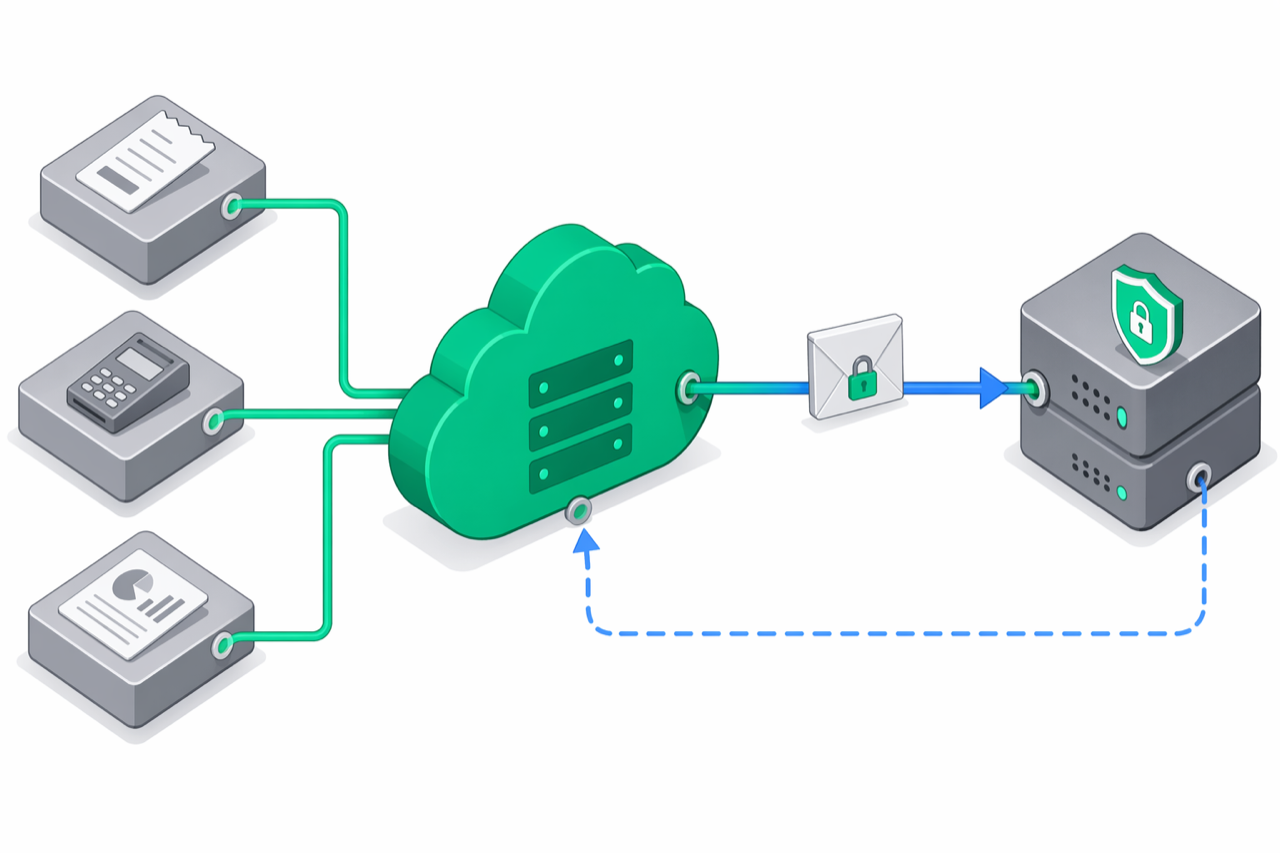
Webhooks let your POS, ERP, or back-office system react in real time to fiscal events on e-bon: a receipt was issued, a device went offline, a Z report was generated. e-bon delivers each event as a signed HTTPS POST to a URL you control.
Subscribe to webhook events
Configure endpoints from the Portal:
Open the webhooks page
In the Portal, go to Settings → Webhooks and click Add endpoint.
Enter the URL and pick events
Paste the HTTPS URL that should receive deliveries, then tick the events you want to subscribe to (for example receipt.created, device.offline, report.generated).
Save and copy the signing secret
After saving, e-bon shows the signing secret (whsec_…) once. Copy it to your secret manager — you'll need it to verify signatures.
Send a test delivery
Click Send test to fire a webhook.test event and confirm your endpoint returns 2xx.
You can also manage webhooks programmatically through the Webhooks API.
Inspect the event envelope
Every delivery is a single JSON object with the same outer shape:
{
  "id": "8f3a9d3e-1b8c-4f02-9b2e-1234567890ab",
  "type": "receipt.created",
  "createdAt": "2026-04-23T08:09:55.123Z",
  "orgId": "acme_corp",
  "data": { /* event-specific, see below */ }
}
X-EBon-Delivery-Id header. Use it to deduplicate retries.receipt.created. See event reference.type — see each event below.Read the HTTP headers
Every delivery is a POST application/json with these headers:
| Header | Meaning | Example |
|---|---|---|
Content-Type | Always application/json. | application/json |
X-EBon-Signature | HMAC SHA-256 of the raw request body, prefixed with sha256=. | sha256=4c8f…3a9d |
X-EBon-Event | The event type (mirrors the body). | receipt.created |
X-EBon-Delivery-Id | The event id (mirrors the body). Use as your idempotency key. | 8f3a9d3e-1b8c-4f02-9b2e-1234567890ab |
X-EBon-Timestamp | ISO 8601 timestamp of this delivery attempt. | 2026-04-23T08:09:55.300Z |
e-bon waits up to 10 seconds for your endpoint to respond and treats any 2xx status as success. Anything else is a failure and is scheduled for retry.
Verify webhook signatures
The signature is the HMAC SHA-256 of the raw request body, hex-encoded and prefixed with sha256=. Always verify it against the raw bytes you received — never re-serialize the parsed JSON, since whitespace and key order would break the comparison.
import { createHmac, timingSafeEqual } from 'node:crypto';
import express from 'express';

const app = express();

// Capture the raw body for signature verification.
app.use(express.json({
  verify: (req, _res, buf) => {
    (req as unknown as { rawBody: Buffer }).rawBody = buf;
  },
}));

app.post('/webhooks/e-bon', (req, res) => {
  const rawBody = (req as unknown as { rawBody: Buffer }).rawBody;
  const sent = req.header('X-EBon-Signature') ?? '';
  const expected = `sha256=${createHmac('sha256', process.env.EBON_WEBHOOK_SECRET!)
    .update(rawBody)
    .digest('hex')}`;

  const a = Buffer.from(sent);
  const b = Buffer.from(expected);
  if (a.length !== b.length || !timingSafeEqual(a, b)) {
    res.status(401).end();
    return;
  }

  // Signature OK — req.body is the envelope.
  res.status(202).end();
});
<?php
$rawBody = file_get_contents('php://input');
$sent    = $_SERVER['HTTP_X_EBON_SIGNATURE'] ?? '';
$secret  = getenv('EBON_WEBHOOK_SECRET');

$expected = 'sha256=' . hash_hmac('sha256', $rawBody, $secret);

if (!hash_equals($expected, $sent)) {
    http_response_code(401);
    exit;
}

// Signature OK — decode and process.
$event = json_decode($rawBody, true);
http_response_code(202);
printf '%s' "$(cat ./body.json)" \
  | openssl dgst -sha256 -hmac "$EBON_WEBHOOK_SECRET" \
  | awk '{ print "sha256=" $2 }'
crypto.timingSafeEqual, PHP's hash_equals, or Python's hmac.compare_digest. Comparing with === or == leaks timing information that lets an attacker guess the signature byte by byte.React to events
The full envelope shape repeats for every event. The sections below document what triggers each event, the data payload, and what to do with it.
receipt.created
Fires after a receipt is persisted on e-bon (issued from the API, the cashier app, or a connected POS).
When to use it: sync the fiscal record back to your ERP, push the receipt to a customer-facing channel (email, app), or update analytics dashboards.
data: {
  id: string;
  orgId: string;
  deviceId: string;
  total: number;
  currency: string;
  items: Array<{ name: string; price: number; quantity: number; vatGroup: string }>;
  payments: Array<{ method: string; amount: number }>;
  operatorId: string;
  fiscalId?: string;
  fiscalDate?: string;
  customerCif?: string;
  qrCode?: string;
  source: 'api' | 'pos' | 'app';
  createdAt: string;
}
{
  "id": "8f3a9d3e-1b8c-4f02-9b2e-1234567890ab",
  "type": "receipt.created",
  "createdAt": "2026-04-23T08:09:55.123Z",
  "orgId": "acme_corp",
  "data": {
    "id": "rcp_abc123",
    "orgId": "acme_corp",
    "deviceId": "dev_xyz",
    "total": 4250,
    "currency": "RON",
    "items": [{ "name": "Espresso", "price": 850, "quantity": 5, "vatGroup": "VAT1" }],
    "payments": [{ "method": "card", "amount": 4250 }],
    "operatorId": "op_42",
    "fiscalId": "FISC-2026-000123",
    "source": "api",
    "createdAt": "2026-04-23T08:09:55.000Z"
  }
}
See the Receipts API for the full schema.
command.completed
Fires when a fiscal command finishes successfully on the AMEF — for example a receipt was printed, or an X/Z report was generated.
When to use it: mark the originating order as fiscalized, attach the returned fiscalId to your records, or trigger downstream workflows.
data: {
  id: string;          // command id
  deviceId: string;
  type: CommandType;   // 'print_receipt' | 'x_report' | 'z_report' | …
  result: CommandResult;
  orgId: string;
}
{
  "id": "evt_…",
  "type": "command.completed",
  "createdAt": "2026-04-23T08:10:01.000Z",
  "orgId": "acme_corp",
  "data": {
    "id": "cmd_abc123",
    "deviceId": "dev_xyz",
    "type": "print_receipt",
    "result": { "receiptId": "rcp_abc123", "fiscalId": "FISC-2026-000123" },
    "orgId": "acme_corp"
  }
}
CommandType and CommandResult are documented on the Commands API.
command.failed
Fires when a fiscal command is rejected by the AMEF or the device handler — paper out, printer offline, validation error, and so on.
When to use it: alert your operations team, retry the command after fixing the underlying issue (retryable: true), or surface the error to the cashier.
data: {
  id: string;          // command id
  deviceId: string;
  type: CommandType;
  error: string;       // human-readable message
  errorCode: ErrorCode;
  retryable: boolean;
  orgId: string;
}
{
  "id": "evt_…",
  "type": "command.failed",
  "createdAt": "2026-04-23T08:10:02.000Z",
  "orgId": "acme_corp",
  "data": {
    "id": "cmd_abc123",
    "deviceId": "dev_xyz",
    "type": "print_receipt",
    "error": "Paper jam",
    "errorCode": "DEVICE_ERROR",
    "retryable": true,
    "orgId": "acme_corp"
  }
}
The full list of errorCode values is on the API overview.
command.timeout
Fires when a queued command does not get a reply from its device within the configured window.
When to use it: treat it as a soft failure — the device may have lost connectivity. Check device.online / device.offline events for context before retrying.
data: {
  id: string;
  deviceId: string;
  type: CommandType;
  error: string;
  errorCode: ErrorCode;
  retryable: boolean;
}
{
  "id": "evt_…",
  "type": "command.timeout",
  "createdAt": "2026-04-23T08:15:00.000Z",
  "orgId": "acme_corp",
  "data": {
    "id": "cmd_abc123",
    "deviceId": "dev_xyz",
    "type": "print_receipt",
    "error": "Command timed out waiting for device reply",
    "errorCode": "COMMAND_TIMEOUT",
    "retryable": true
  }
}
device.online
Fires when a fiscal device reconnects.
When to use it: flush queued commands, clear "device offline" warnings on your dashboard, or notify the operator.
{
  "id": "evt_…",
  "type": "device.online",
  "createdAt": "2026-04-23T08:00:00.000Z",
  "orgId": "acme_corp",
  "data": { "id": "dev_xyz", "status": "online", "orgId": "acme_corp" }
}
device.offline
Fires when a device disconnects.
When to use it: alert the operator, pause automatic command dispatch, or fall back to a secondary device.
{
  "id": "evt_…",
  "type": "device.offline",
  "createdAt": "2026-04-23T08:30:00.000Z",
  "orgId": "acme_corp",
  "data": { "id": "dev_xyz", "status": "offline", "orgId": "acme_corp" }
}
report.generated
Fires alongside command.completed whenever the completed command was an X or Z report.
When to use it: archive the report, post end-of-day totals to your accounting system, or trigger a daily reconciliation job.
data: {
  commandId: string;   // note: commandId, not id
  deviceId: string;
  type: CommandType;   // 'x_report' | 'z_report'
  result: CommandResult;
  orgId: string;
}
{
  "id": "evt_…",
  "type": "report.generated",
  "createdAt": "2026-04-23T22:00:00.000Z",
  "orgId": "acme_corp",
  "data": {
    "commandId": "cmd_abc123",
    "deviceId": "dev_xyz",
    "type": "z_report",
    "result": {
      "success": true,
      "data": {
        "reportType": "z",
        "deviceId": "dev_xyz",
        "totals": { "sales": 1250.0, "refunds": 0, "net": 1250.0 },
        "vatBreakdown": [],
        "receiptCount": 42,
        "timestamp": "2026-04-23T21:59:58.000Z"
      }
    },
    "orgId": "acme_corp"
  }
}
The result.data summary is device-reported; structured totals depend on driver support.
webhook.test
Sent only when you click Send test in the Portal or call the test-delivery endpoint. The payload is fixed:
{
  "id": "evt_…",
  "type": "webhook.test",
  "createdAt": "2026-04-23T08:10:00.000Z",
  "orgId": "acme_corp",
  "data": { "test": true, "message": "This is a test event from e-bon." }
}
Use it to confirm your endpoint is reachable and your signature verification works end-to-end.
Handle retries
When your endpoint returns a non-2xx status, times out, or is unreachable, e-bon retries the delivery on an exponential backoff schedule.
| Attempt | Delay before retry |
|---|---|
| 1 → 2 | 1 minute |
| 2 → 3 | 5 minutes |
| 3 → 4 | 30 minutes |
| 4 → 5 | 2 hours |
| 5 → 6 | 12 hours |
After the 5th failed attempt, the delivery is marked failed and no longer retried.
You can browse delivery history (status, HTTP code, response excerpt, attempt count) under Settings → Webhooks → Deliveries or via GET /api/v1/org/webhooks/{id}/deliveries. Up to the first 500 characters of your response body are stored on each delivery record.
Follow best practices
- Respond fast. Acknowledge the request with a
2xxstatus as soon as you've validated the signature; queue the heavy work (DB writes, downstream API calls) on a background worker. Anything past the 10-second timeout is treated as a failure. - Be idempotent. Use
X-EBon-Delivery-Idas your deduplication key — a retried delivery has the sameid. A simpleINSERT … ON CONFLICT DO NOTHINGkeeps your handler safe. - Verify on the raw body. Never recompute the HMAC over a re-serialized JSON object; whitespace and key order matter. Use a constant-time comparison.
- Store the secret in a secret manager. The raw
whsec_…value is shown only at create time and on rotation. Keep it in env vars or a vault, never in source control. - Rotate when in doubt. Use Settings → Webhooks → Rotate secret (or
POST /api/v1/org/webhooks/{id}/rotate-secret) to mint a fresh secret if the current one might have leaked.
Continue exploring
- Webhooks API — create, update, rotate secrets, send test deliveries, browse delivery history.
- API overview › error envelope — the
errorCodevalues that show up incommand.failedandcommand.timeout. - SDK › events — server-sent events alternative when you need a push channel without a public HTTPS endpoint.