
Command timeouts and the 180s sweep
A command is "stuck" when its status stays in pending or sent long enough for the API's timeout sweep to flip it to timeout and emit a command.timeout webhook event. This recipe explains exactly when that happens and how to recover safely.
E500 — TimeoutCommand, with errorMessage set to "Command timed out after 180s". E500 is retryable, so resubmitting with the same Idempotency-Key is safe.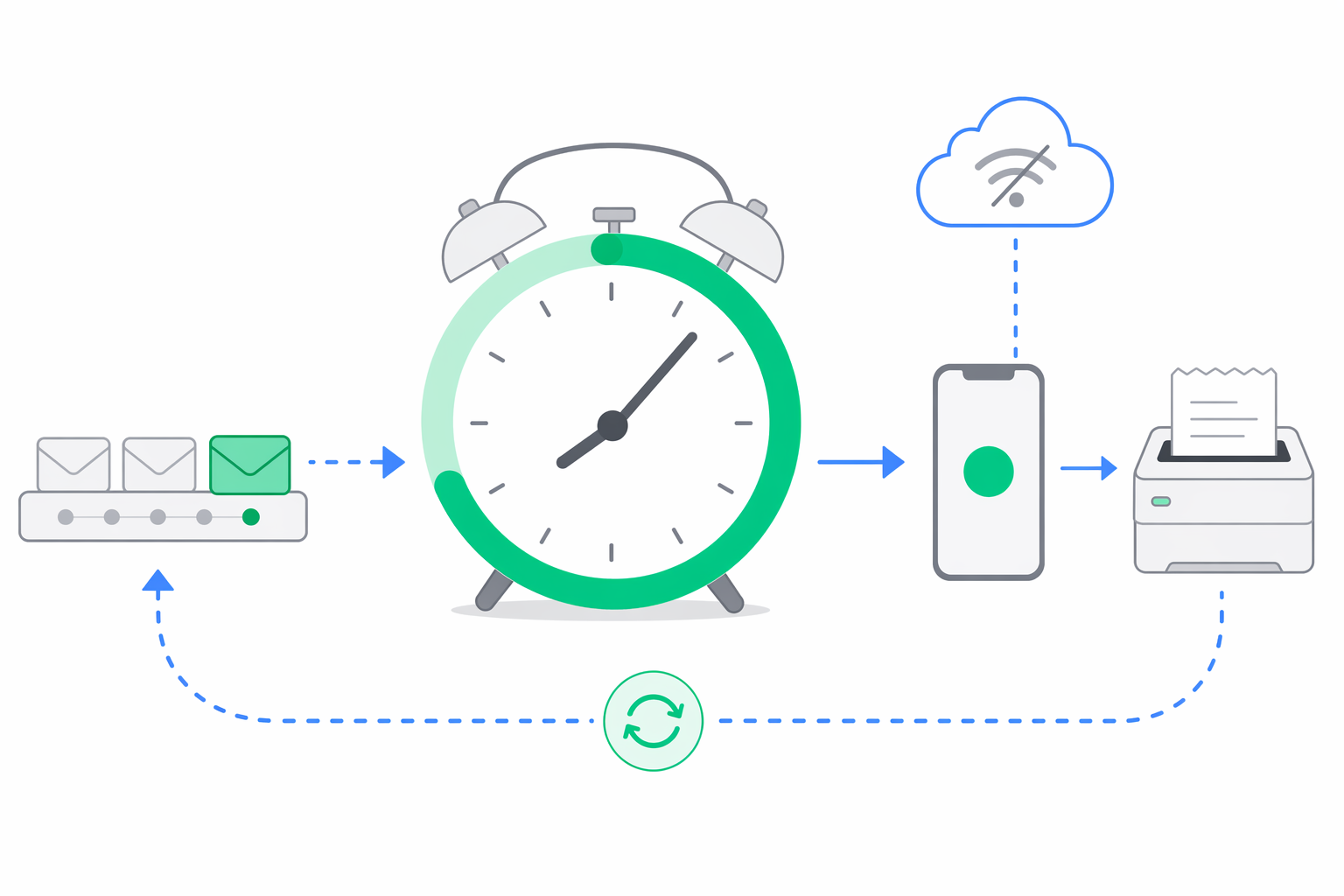
Understand how the timeout sweep works
- The timeout sweep runs every 30 seconds.
- Any command stuck in status
pendingorsentfor more than 180 seconds is automatically flipped totimeout. - When that happens, e-bon broadcasts a real-time event with
{ errorCode: 'E500', retryable: true }to your organization and fires acommand.timeoutwebhook.
So the difference is:
command.failed— the device actively reported a failure (aFiscalErrorfromE1xx–E9xx). The command was tried.command.timeout— the device never acknowledged the command at all within 180 s of being created. The sweep marked it as unreachable.
Identify the likely cause
- Device offline — the E-BON app is not connected to the cloud (no WebSocket, app killed, phone asleep), so the command never reached the printer.
- Long-running fiscal operation that exceeded the 180s budget — extremely rare in practice; only large reports (P7B exports across long ranges) approach it.
- Stuck command queue on the device — a previous command failed in a way that left the local queue blocked; subsequent commands sit in
pendinguntil the queue clears.
Verify a timed-out command
curl https://api.e-bon.ro/api/v1/commands/{commandId} \
  -H "Authorization: Bearer <jwt>"
A timed-out command returns:
{
  "id": "cmd_abc123",
  "status": "timeout",
  "error": "Command timed out after 180s",
  "errorCode": "E500",
  "errorMessage": "Command timed out after 180s",
  "updatedAt": "2026-04-23T08:13:55.000Z"
}
To replay the command idempotently, retry the original endpoint (e.g. POST /api/v1/devices/{deviceId}/commands) with the same Idempotency-Key header you used the first time:
curl -X POST https://api.e-bon.ro/api/v1/devices/{deviceId}/commands \
  -H "Authorization: Bearer <jwt>" \
  -H "Content-Type: application/json" \
  -H "Idempotency-Key: 8f3a9d3e-1b8c-4f02-9b2e-1234567890ab" \
  -d '{ "type": "print_receipt", "payload": { /* … */ } }'
If the original request succeeded server-side and only the response was lost on your end, you get back the exact same command ID — no duplicate is created.
Apply the fix
Check that the device is online
Open the Devices page in the portal. If the device is offline, fix that first — the new command will queue up and time out the same way. The most common cause of "device offline" is the E-BON Android app being killed in the background.
Decide whether to retry or cancel
For non-fiscal commands (header/footer changes, VAT rate updates, header reprint of a recent report) it is almost always safe to retry — the device-side handlers are idempotent for those. For print_receipt, only retry if you reused the same Idempotency-Key on the original request; otherwise check whether the receipt was actually printed before retrying, to avoid duplicate fiscal output.
Retry with the same Idempotency-Key
Re-send the original POST with the same Idempotency-Key header. The API returns the existing command record if it already exists, or creates a fresh one if the previous request truly never reached the server.
Wait one full sweep cycle (~30s) before declaring failure
The sweeper runs every 30 seconds, so a command that completes between sweeps may briefly look stale before its status flips to completed. Use GET /api/v1/commands/{commandId} or subscribe to the command.completed / command.failed / command.timeout webhook events instead of polling tightly.
command.timeout. The Idempotency-Key header contract is described in API overview.Get help if you're still stuck
Open a support case at contact@e-bon.ro or e-bon.ro/contact with the affected commandId, the device ID, and the timestamp of the original request.
Fix device pairing failures by transport
Recognise the symptom when a fiscal printer fails to pair over Bluetooth, USB, Serial or TCP, then apply the right fix per transport.
Webhook delivery failures and auto-disable
How to interpret `lastError`, the 5-attempt backoff schedule, the 20-failure auto-disable, and how to re-enable a webhook safely.